
Free Social Media Ad Revenue Calculator
CPV Formula and Example
Social Media Ad Revenue Calculator
Social Media Ad Revenue Calculator
Estimated Ad Revenue
What is CPV (Cost Per View)?
A Social Media Ad Revenue Calculator is a free online tool that helps content creators, marketers, and influencers estimate how much money they can earn from ads on platforms like YouTube, TikTok, Instagram, and Facebook.
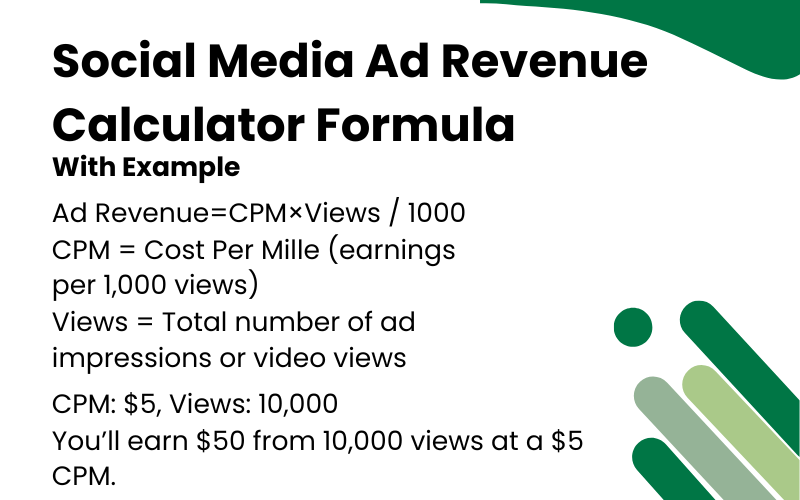
It works by using the CPM (Cost Per Mille) model — which means how much you earn per 1,000 views. By entering your total views and average CPM rate, the calculator quickly shows your estimated ad revenue, helping you plan campaigns, forecast income, or compare platform performance.
Whether you’re a YouTuber, social media manager, or brand advertiser, this calculator gives you a realistic income estimate based on your audience size and engagement.
More Examples
Small Campaign
Views: 10,000
CPM: $5
Revenue: $50
Medium Campaign
Views: 100,000
CPM: $8
Revenue: $800
Large Campaign
Views: 1,000,000
CPM: $12
Revenue: $12,000
How Social Media Ad Revenue Works
Understanding how advertising platforms calculate creator earnings from ad views and CPM (Cost Per Mille).
1. Define CPM (Cost Per 1,000 Views)
Each platform sets a CPM — the amount advertisers pay per 1,000 ad impressions or monetized views.
2. Track Monetized Views
Not all views are monetized. Track the number of ad-enabled views on your YouTube, Instagram, or TikTok analytics.
3. Calculate Estimated Revenue
Use this calculator:
Revenue=Views/1000×CPM
4. Optimize Content Strategy
Experiment with content length, engagement, and niche to improve your CPM rate and total earnings.
Why Ad Revenue Calculations Matter
01
Income Forecasting
Estimate your potential earnings before launching or scaling campaigns.
02
Channel Growth Insights
See how content performance and audience location affect your revenue potential.
03
Strategy Optimization
Identify high-performing topics, formats, and audiences to maximize ad revenue.
How to Use Social Media Ad Revenue Calculator
Understanding how advertising platforms calculate creator earnings from ad views and CPM (Cost Per Mille).
- Step 1: Enter your total monetized views.
- Step 2: Enter the average CPM for your platform (e.g., $5–$15).
- Step 3: Click “Calculate Revenue” to see your estimated earnings.
- Step 4: Compare results across multiple platforms.
Best Practices
- Use consistent currency units (USD, EUR, etc.)
- Include all campaign costs (production, promotion)
- Count unique views, not total impressions
- Track CPV over time for trend analysis
Common Mistakes
- Mixing different campaign periods
- Forgetting hidden platform fees
- Using impressions instead of views
- Not accounting for view duration requirements
Pro Tips
- Compare CPV across different demographics
- A/B test creative content for better CPV
- Consider view completion rates alongside CPV
- Benchmark against industry standards